The 2010s Called, They Want Their UI Back
Earlier today, I launched a new look and feel for KitchenPC. I was really proud of the 2010-era website and I’ve always thought it looked great, but one has to admit it just looked… dated. The fonts, the colors, the overall appearance just did not age well. So, like one of those 80s movie montages where they make the nerdy kid good looking, it was time for a makeover!
Bye Bye YUI!
When I was creating the first version of KitchenPC, I had to choose between two client side frameworks for building UI. The two I considered were jQuery and YUI. jQuery was just coming onto the scene, and while it provided an excellent abstraction to smooth out differences between browsers, its UI game was lacking. There was something called jQuery UI that was used for building interfaces around jQuery, but it was sort of all over the place and lacking documentation. YUI provided a single framework for building UI on the web and provided abstraction for various browsers, Ajax calls, implementing things like Drag and Drop, etc. I definitely bet on the wrong horse, since jQuery later went on to be the standard for writing browser code (until you web developers decided to create increasingly more and more complex frameworks that changed every two and a half weeks), but the YUI code was so baked into the frontend by that point, it was difficult to remove. Every modal dialog, animation, etc was all YUI.
So, what replaced YUI, finally?
Hello Vue.js
Yes, you probably thought I was going to say React or Angular. Those are the standard today, correct? Well, perhaps if I were writing the entire UI from scratch. I looked at all of those frameworks, and others. Finally, I decided on Vue.js.
Vue provided the more seamless transition from YUI to a modern framework. Vue is basically what Knockout would be if it were implemented today. It doesn’t require you to convert the entire page over at once, and just allows you to convert individual pieces of the page. It also provides a rich ecosystem of components and controls.
I’m now using Vite to host the frontend components during local development which provides bundling, hot reload, and all that fun stuff the cool kids are using these days. The local developer experience is something I would have only dreamed of in 2010!
The frontend has also been ported over to TypeScript and the entire code base takes advantage of the type safety provided by that language. This makes the local development experience a lot richer allowing me to navigate through the code with ease and describe data types used by the client and the server.
Okay, enough waiting – What does the new UI look like?
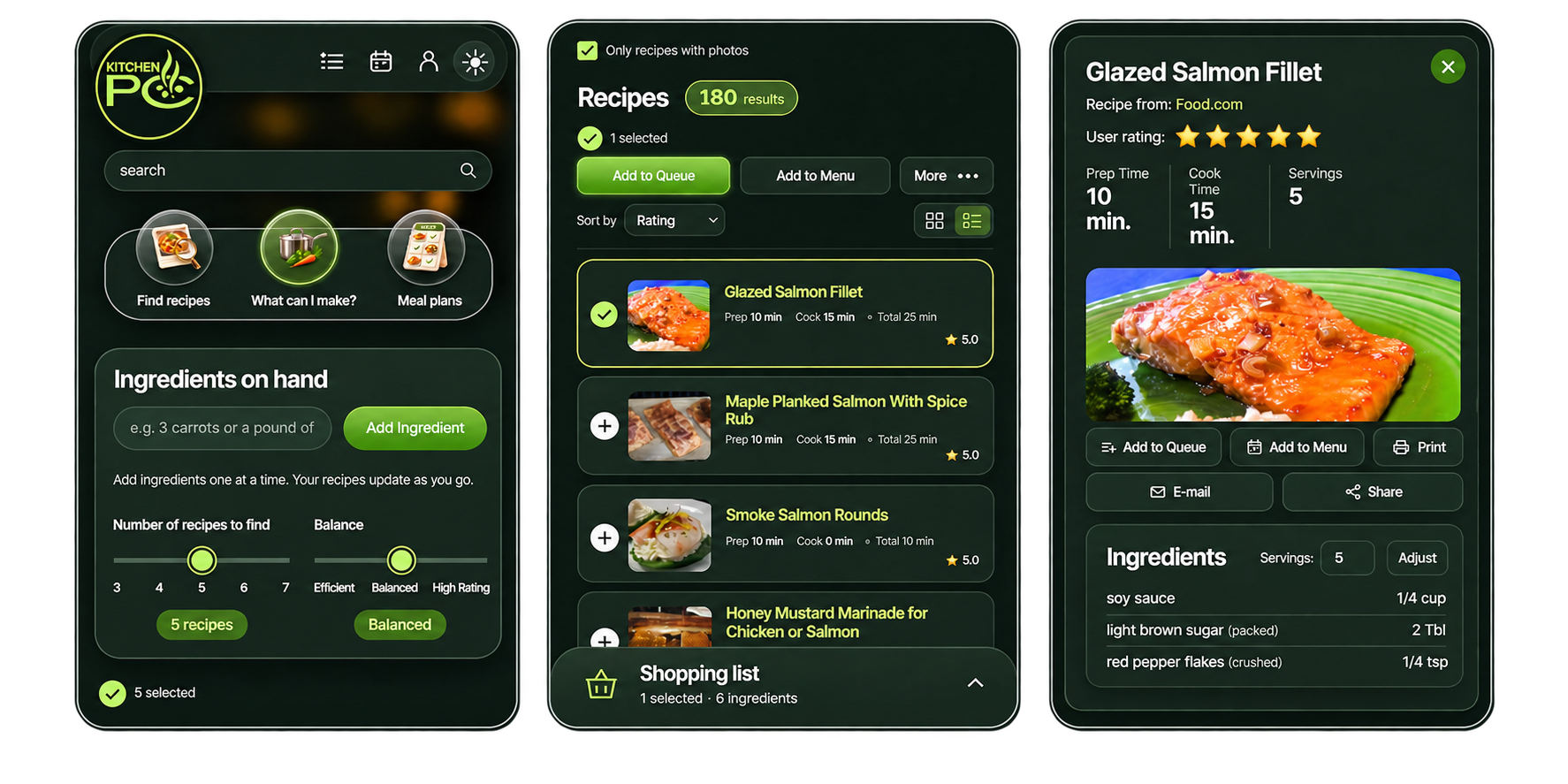
Here’s the final design I came up with. This is mostly a modern face lift, which became quite a bit easier once the entire frontend stack was modernized.
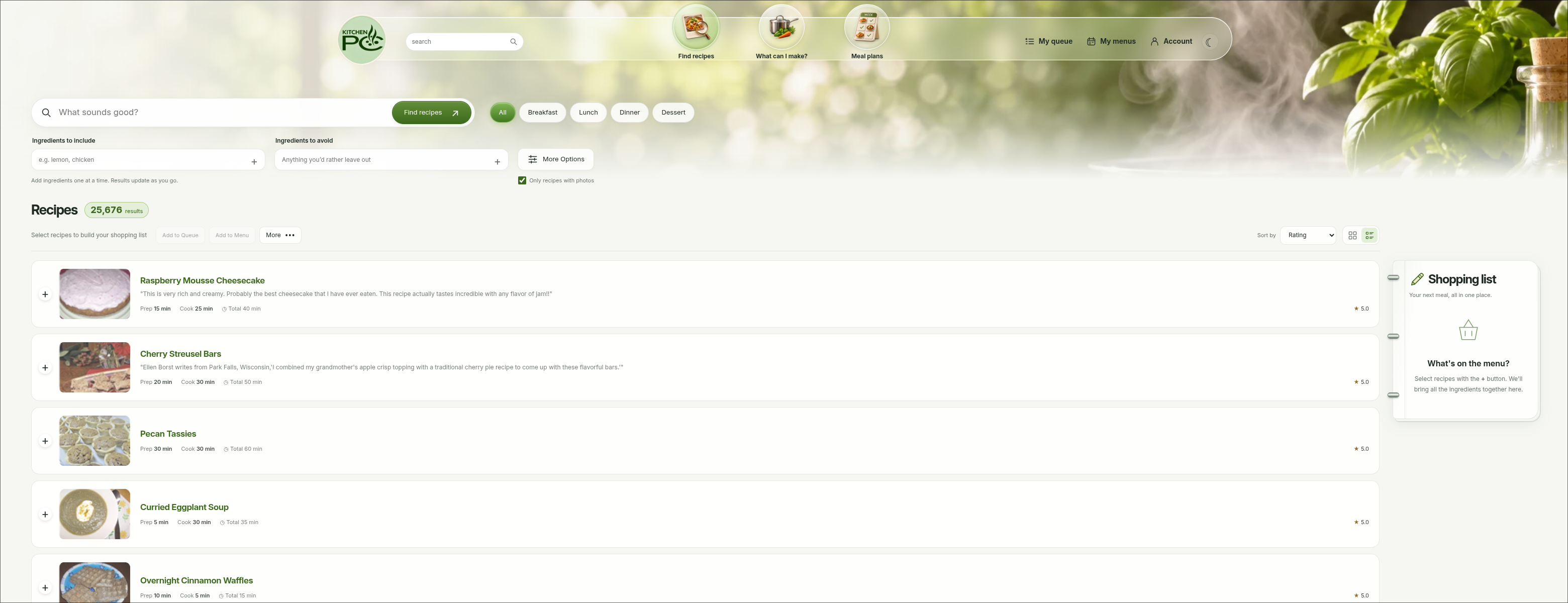
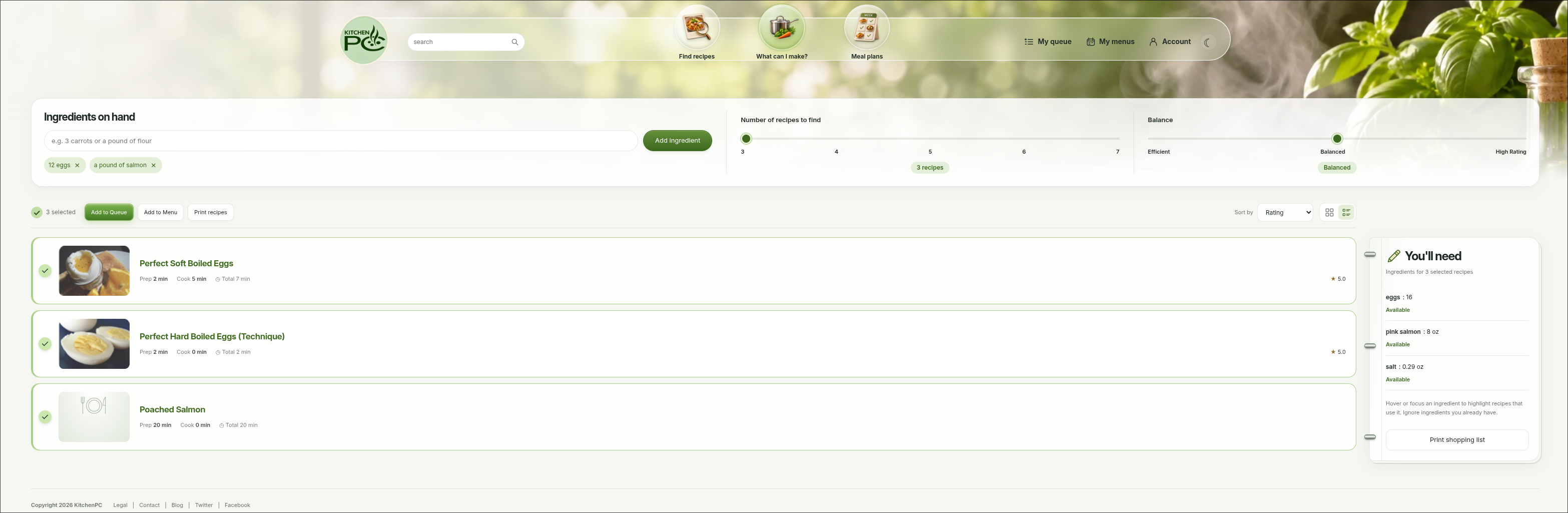
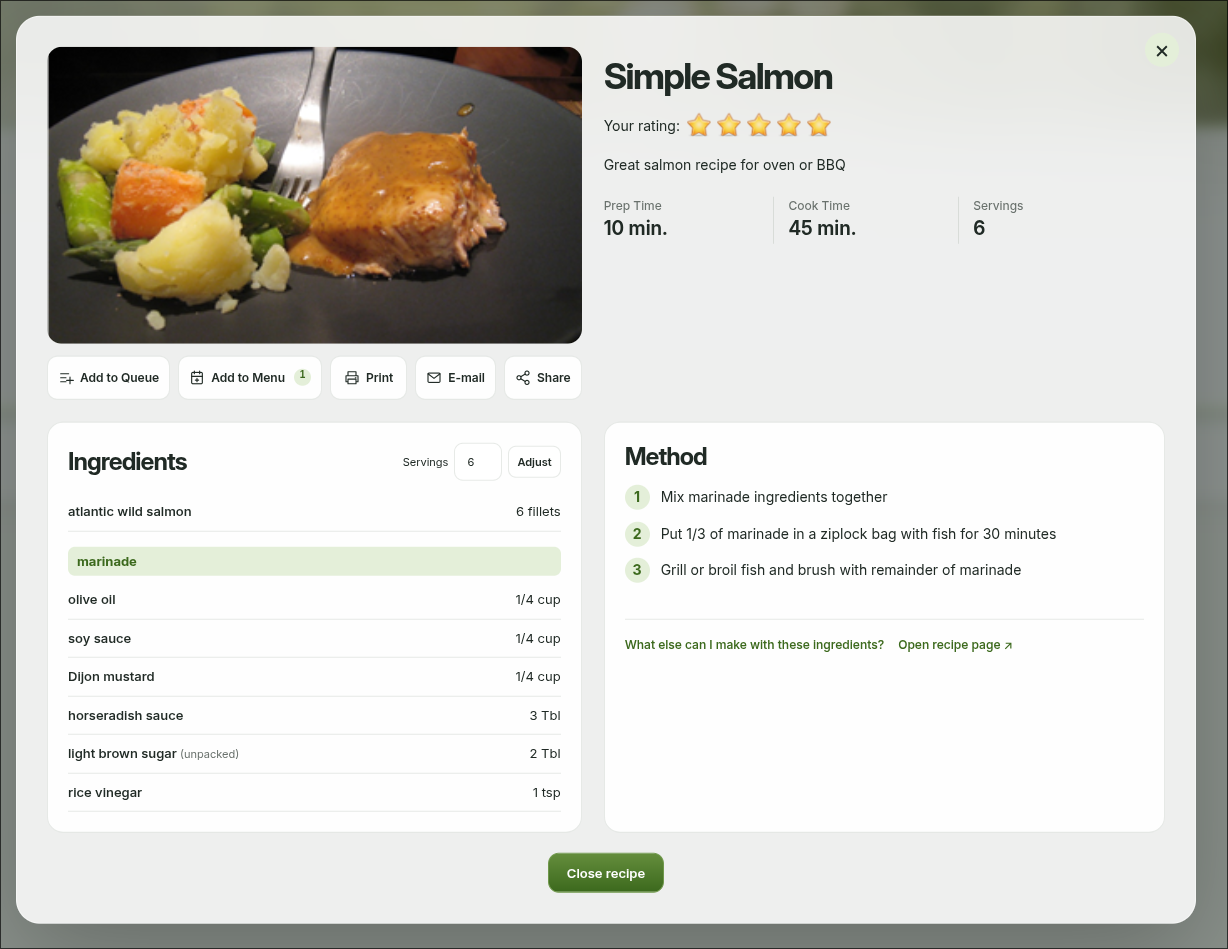
Hopefully you like the new look! But wait, there’s more!
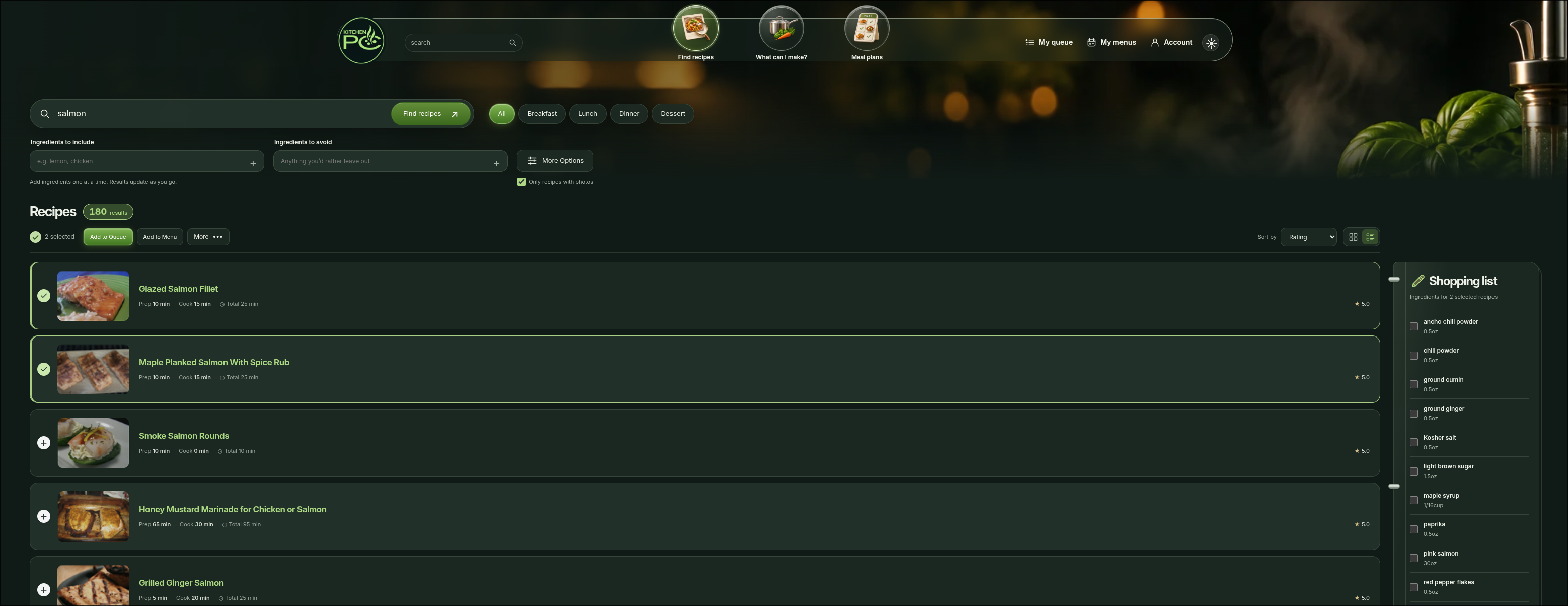
Dark Mode
Every site needs a dark mode, right? By default, KitchenPC will choose between light and dark mode based on your system settings. However, you can toggle the mode in the upper right, or on the account page.
Mobile Browsers
The old site was basically unusable on mobile. I always figured I’d just write a mobile app, but never did. The new site is responsive and mobile friendly. Yea, it’s pretty embarrassing a site in 2026 did not support mobile browsers.
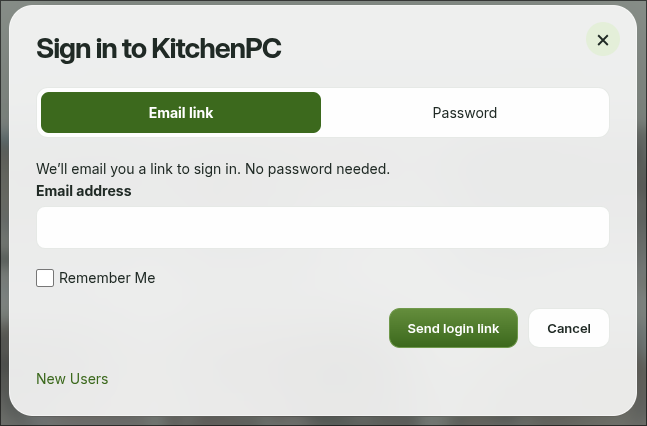
Sign on with email link
Forget your password? No problem. You can now sign in with an email link.
Easter Eggs?
There’s a hidden Easter Egg on the home page. See if you can find it! Hint: You won’t need to use your keyboard to find it.
What’s Next?
Now that I have a stable platform to build upon, iterate, test, develop and deploy new code and features, there’s all sorts of things I’d love to add. If you have ideas, feel free to comment below. Or, use the Contact page which is another new feature.
I hope you’ll check out the new site and let me know what you think!

